
Download Mockitt – AI‑Powered Design and Prototyping Tool
Overview
Mockitt, created by Wondershare, is a cloud‑based design and prototyping platform that blends artificial‑intelligence assistance with a fully collaborative workspace. The tool is aimed at UI/UX designers, product managers, developers, and even non‑technical founders who need to turn ideas into interactive mock‑ups quickly. Its drag‑and‑drop canvas works entirely in the browser, which means you never have to install heavyweight software on your workstation.
The AI engine continuously monitors your layout, suggesting component placement, colour palettes, and responsive breakpoints, effectively reducing repetitive design chores. Real‑time collaboration is a core pillar: multiple team members can edit the same project simultaneously, leave inline comments, and view live preview links that update instantly. Version history is automatically recorded, allowing you to revert to any prior state with a single click.
Integration points with Slack, Jira, Trello, Figma, and Adobe XD make it easy to import assets or push finished prototypes into development pipelines. Whether you are a solo freelancer building a portfolio, a startup racing against a product launch, or a large agency managing several client projects, Mockitt offers a secure, scalable environment that adapts to any workflow. Its free tier provides essential prototyping, flow‑charting, and mind‑mapping capabilities, while paid plans unlock advanced AI automation, unlimited projects, and premium collaboration features.
In short, Mockitt positions itself as a one‑stop solution for modern product design, combining speed, intelligence, and teamwork in a single, browser‑native application.
Key Features and Installation Guide
Feature Highlights
- AI‑Driven Layout Engine: Real‑time suggestions for component alignment, spacing, and colour schemes based on design best practices.
- Interactive Wireframes: Build clickable prototypes with animations, transitions, and responsive breakpoints without writing code.
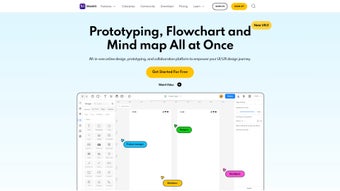
- Flowchart & Mind‑Mapping: Visualise user journeys, information architecture, and brainstorming sessions on the same canvas.
- Live Collaboration: Multi‑user editing, instant comments, and shareable preview links keep teams in sync.
- Version History: Automatic snapshotting of every change, with one‑click revert to any prior version.
- Cross‑Platform Access: Runs on Windows, macOS, Linux, Android, and iOS through any modern browser.
- Extensive Integrations: Connects with Slack, Jira, Trello, Figma, Adobe XD, and more for seamless hand‑offs.
- Secure Cloud Storage: AES‑256 encryption at rest, SSL/TLS in transit, and automatic daily backups.
- Export Options: Export to HTML, PNG, PDF, or embed prototypes directly into documentation or websites.
- Custom UI Kits: Access a library of pre‑built components and templates to accelerate design.
Installation & First‑Run Steps
Because Mockitt is primarily web‑based, the “installation” process is essentially account creation and optional desktop wrapper setup. Follow these steps to get started:
- Create a Wondershare account: Visit mockitt.wondershare.com, sign up with your email or a social login, and verify your address.
- Select a plan: Choose the free tier to explore basic features, or pick a Pro/Business subscription for AI automation, unlimited projects, and advanced collaboration tools.
- Access the web app: After logging in, you’ll land on the dashboard where you can start a new project, import existing Sketch/Figma files, or explore template libraries.
- Optional desktop client: For a native feel, download the Mockitt desktop wrapper for Windows or macOS from the “Downloads” section. Run the installer, sign in, and you’ll have an offline‑capable window that syncs when you reconnect.
- Configure preferences: Open the settings panel, set your preferred language, measurement units, and enable AI suggestions under the “Automation” tab.
Compatibility
Mockitt’s cloud architecture means it works on any operating system that supports a modern browser: Windows 10/11, macOS 10.15+ (Catalina and later), popular Linux distributions, as well as Android 8.0+ and iOS 13+. The desktop client simply wraps the web interface, so performance remains consistent across platforms. Supported browsers include Chrome, Edge, Firefox, and Safari—all capable of rendering the full feature set without additional plugins.
Pros, Cons & Frequently Asked Questions
Pros
- AI assistance dramatically cuts down repetitive design work, letting teams focus on creativity.
- Real‑time collaboration removes version‑control headaches for distributed teams.
- Browser‑native access ensures instant updates and eliminates bulky installations.
- Comprehensive flowchart and mind‑mapping tools keep documentation in one place.
- Robust integration ecosystem streamlines hand‑off to development.
- Free tier is generous enough for students, freelancers, and small startups.
Cons
- Advanced AI features and unlimited projects are locked behind paid plans, which may be costly for very small agencies.
- Large projects with thousands of elements can experience slight performance lag.
- Export options are limited to static formats unless you upgrade to a premium plan.
- AI customization panel has a learning curve for newcomers.
- Occasional sync delays have been reported when many editors work on the same screen simultaneously.
Frequently Asked Questions (FAQ)
Is Mockitt completely free to use?
Mockitt offers a free tier that includes core prototyping, flowcharting, and mind‑mapping. AI‑driven automation, unlimited projects, and premium collaboration tools require a paid subscription.
Can I work offline with Mockitt?
The platform is primarily cloud‑based, so full offline functionality is limited. The desktop client caches recent projects for minor edits, but AI suggestions and syncing need an internet connection.
How secure is my data on Mockitt?
Wondershare uses SSL/TLS for data in transit and AES‑256 encryption at rest. Projects are stored on secure cloud servers with daily backups, and two‑factor authentication can be enabled for added protection.
Does Mockitt integrate with my existing design tools?
Yes. You can import files from Sketch, Adobe XD, and Figma, and export prototypes to HTML, PNG, or PDF. Integrations with Slack, Jira, Trello, and other project‑management tools keep your workflow seamless.
What kind of support does Mockitt provide?
Paid subscribers receive 24/7 email support, live chat, and priority handling. All users have access to a comprehensive knowledge base, tutorial videos, and a community forum for peer assistance.
- Pros: AI assistance, real‑time collaboration, cross‑platform access, generous free tier.
- Cons: Premium AI locked behind subscription, occasional sync lag on large teams.
Conclusion – Why You Should Download Mockitt Today
In a crowded market of design tools, Mockitt stands out by marrying AI‑driven automation with a truly collaborative environment. The platform’s ability to suggest intelligent layouts, combined with real‑time multi‑user editing, translates into faster iteration cycles and higher‑quality deliverables. Even the free tier offers a robust set of prototyping, flowchart, and mind‑mapping features that can elevate any project from concept to clickable mock‑up. For teams that value speed, security, and seamless integration with existing workflows, Mockitt provides a compelling value proposition that scales from solo freelancers to enterprise‑level design studios.
Ready to accelerate your design process? Download Mockitt now and start building interactive prototypes instantly. If your organization needs the full suite of AI capabilities, unlimited collaboration, and priority support, consider upgrading to the Pro or Business plan for an all‑in‑one solution that keeps your design pipeline efficient, creative, and future‑proof.



.png)



